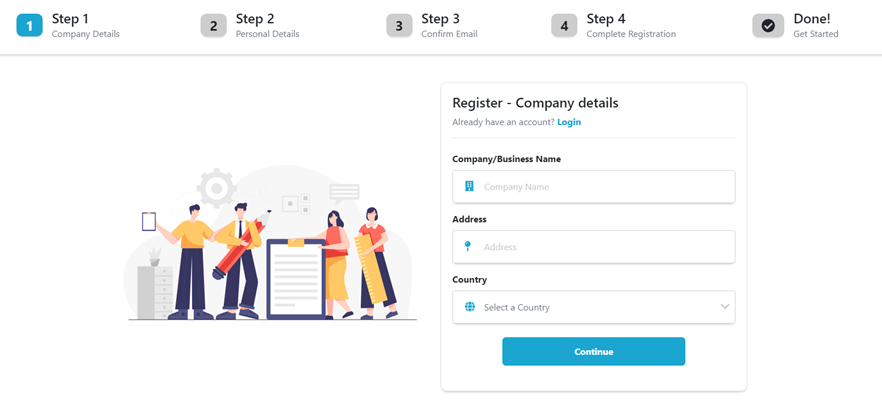
Register Screen
Registration is initiated by the appointed organizational administrator of a company. By default, they assume the role of the primary authority within the system, with the exclusive privilege to enroll additional employees into the platform.
Step 1
Your cooperation in providing accurate company details is essential. These particulars serve pivotal roles in invoicing, taxation, and company identification processes. They also ensure that you are the authorized representative eligible to register on behalf of the company.
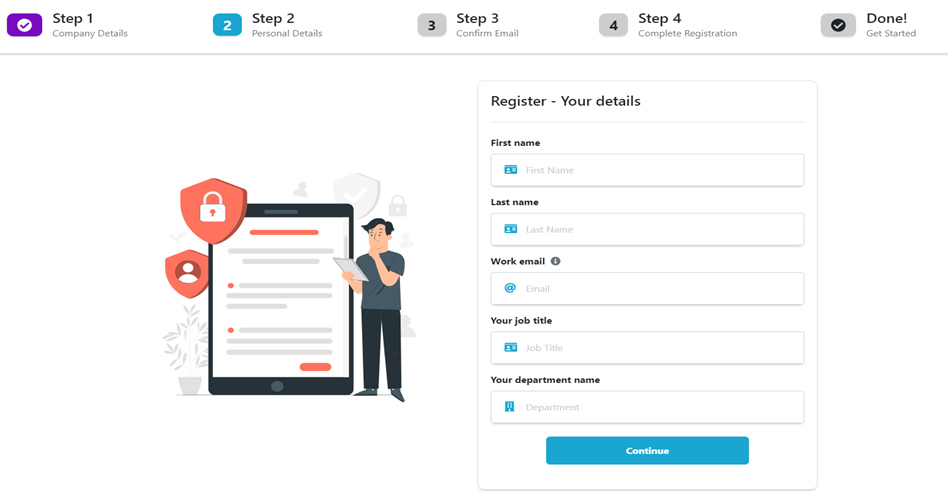
Step 2
For enhanced account security, please provide precise personal information, notably your professional Work Email. Kindly note that the use of an inappropriate email address may lead to the suspension of your account.
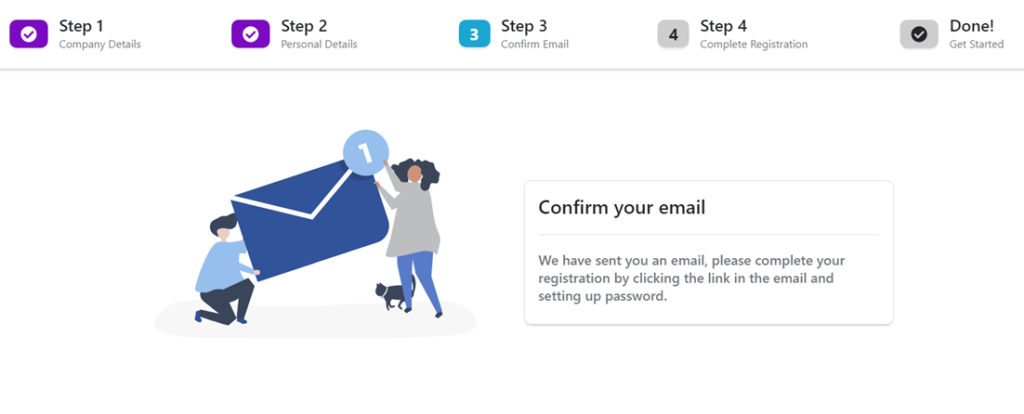
Step 3
Upon clicking the “Continue” button in step 2, an automated email will be dispatched to your designated email inbox for confirmation. This email contains a link to proceed with the registration process, directing you to step 4. Kindly allow a few minutes for the email to arrive, and if it doesn’t appear in your inbox, please check your spam or junk folder.
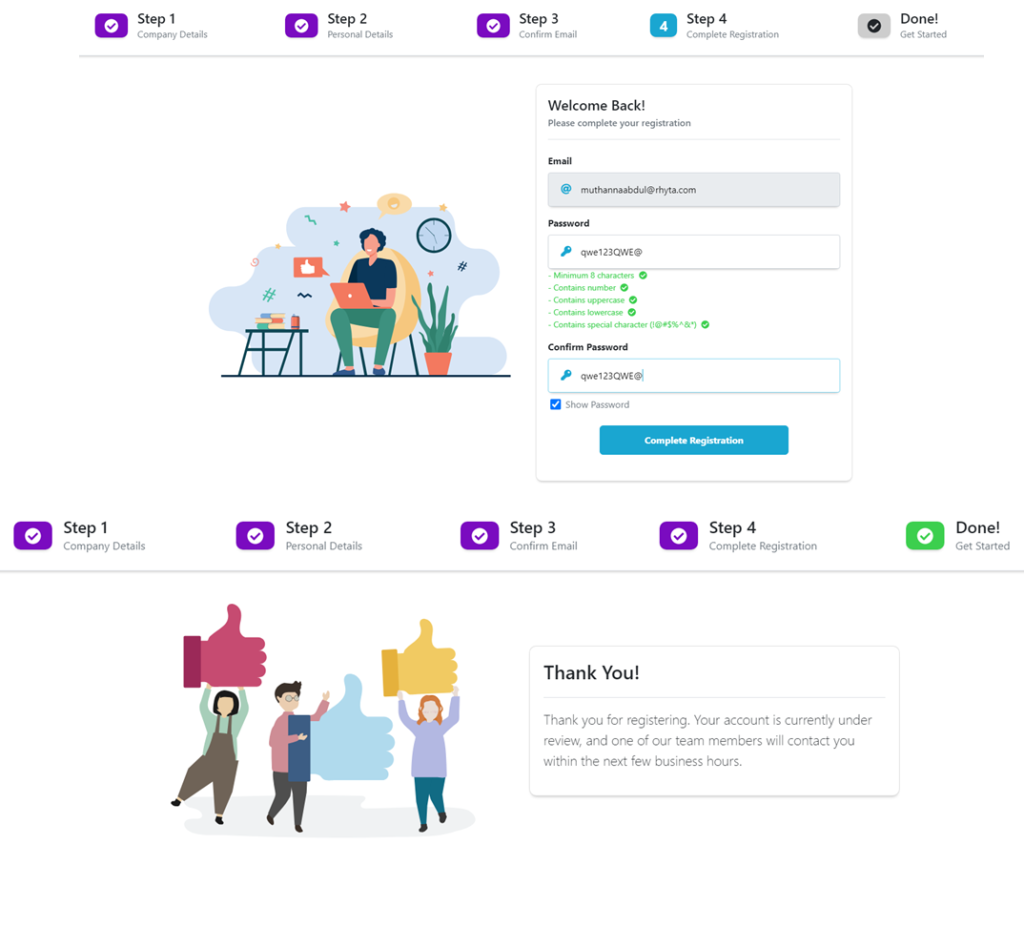
Step 4
Here, you will set your password and confirm it to gain access to the admin portal.
Congratulations on successfully completing the registration process. Your account is now under review, and a member of our team will reach out to you within the next few business hours to assist you further. Thank you for choosing our platform; we look forward to helping you get started.